



Tonyspins Login
Your Tonyspins login lands you straight inside the account. Wallet, bonus history, transaction records, responsible gaming controls – everything sits one click away. Tony Spins designed the sign-in flow to be quick, and it shows.



Signing in to Tonyspins
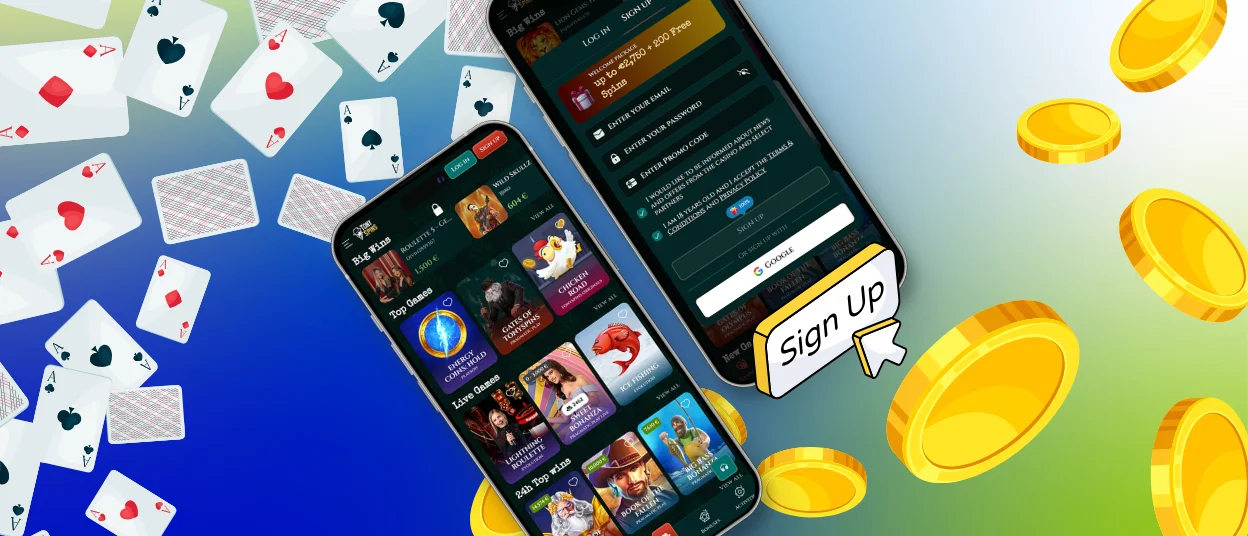
The login button sits in the top-right corner of the Tonyspins website. The whole process takes under a minute, and the dashboard opens straight away.
- Select the login button on the Tonyspins website.
- Enter your registered email address and password.
- If 2FA is active, type in the one-time code from your authenticator app.
- Confirm – your account dashboard loads immediately.
Once inside, you can manage your wallet, track active bonuses, review transaction history, adjust security settings, and use responsible gaming tools.
Tonyspins Registration
Signing up for a Tonyspins casino account is a one-page process. The form asks for an email address, a password, your legal name, date of birth, and a phone number. Fill it in, confirm your email, and the account is ready to use straight away.
Your first deposit goes through the wallet. Withdrawals need identity verification first – sending your documents early means payouts clear without any back-and-forth later. The table covers what each account area gives you access to once you are logged in.
| Account Section | What You Can Do |
|---|---|
| Wallet | Add funds, request withdrawals, and see your current balance at a glance. |
| Bonus Tracking | Check which offers are live, watch wagering progress, and grab available promotions. |
| Transaction History | Pull up a full log of every deposit, withdrawal, and bonus movement. |
| Security Settings | Change your password, switch 2FA on, and look through recent login sessions. |
| Responsible Gaming Tools | Put a cap on deposits or session time, or step away with a cooling-off request. |
Keeping Your Account Secure
We built several security controls directly into every Tony Spins account. Passwords need to hit a minimum length and mix letters with numbers. Forgotten your password? The reset link on the login page fires a recovery email to your registered address in seconds.
Two-factor authentication sits inside Security Settings. Turning it on means a one-time code joins your password at every login. Session logs in the same section show you exactly when and where the account was last accessed. The verification process – a photo ID and a proof-of-address document – is a required step before any withdrawal goes through. Submitting those documents early removes the only thing that can slow a payout down.
Troubleshooting Login Problems
Locked out? A wrong password is the most common reason. Use the reset link on the login page and a recovery email lands in your inbox within moments. Too many failed attempts trigger an automatic short lock on the account – the Support Team can lift that via live chat right away.
A 2FA code that the system rejects usually points to a clock drift in your authenticator app. Resyncing the time fixes it. Loading problems most often trace back to cached data in the browser; clearing it and checking that cookies are on tends to sort things out. Our multilingual Support Team is on live chat around the clock for anything the steps above do not cover.
| Issue | Resolution |
|---|---|
| Wrong password | Hit the reset link on the login page – a recovery email arrives within seconds. |
| Account locked after failed attempts | Wait a short while or reach the Support Team on live chat for immediate help. |
| 2FA code rejected | Resync the clock in your authenticator app, or ask for a new code. |
| Page loads incorrectly | Clear the browser cache, make sure cookies are enabled, and update your browser. |
| Email address not found | Try other addresses you may have used, or contact the Support Team for account lookup. |
FAQ
What documents are needed for a Tonyspins account verification, and how long does the review take?
We need a photo ID – a passport or national ID card works fine. Alongside that, send a proof-of-address document dated within the last three months, like a utility bill or a bank statement. If you deposited by card, a scan of that card may be asked for as well. Upload everything through your account dashboard. We aim to finish the review within 48 hours. Clear photos with no cropping speed things up considerably.
How do I enable two-factor authentication on my Tonyspins account?
Open Security Settings inside your Tony Spins account. From there you can link an authenticator app or turn on SMS-based codes – the on-screen steps walk you through it in a couple of minutes. After that, every login asks for a code on top of your password. Lost access to the authentication device? Reach the Support Team on live chat and we sort out account recovery from there.
Can I use a social login to access Tonyspins, and what are the alternatives?
Tonyspins uses standard email-and-password sign-in. On mobile, the Tony Spins app gives you a streamlined login experience through your device’s native browser. The password reset flow is always available on the login page, and our multilingual Support Team is on live chat 24/7 for any access issue that comes up.


